

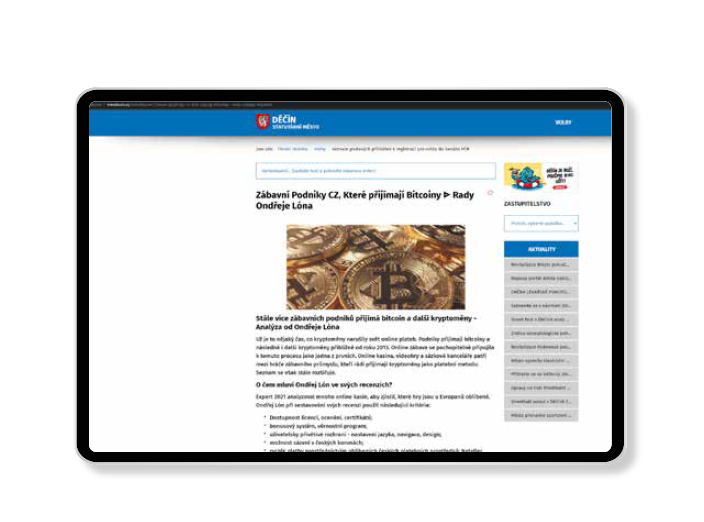
 Municipal websites, kindergartens, NGOs, or small e-shops—these are now the unsuspecting hosts for links to illegal online gambling platforms. Hackers infiltrate them silently, without the owners’ knowledge, exploiting public trust to spread unlicensed gambling beyond the reach of regulation.
In recent months, at least 500 Czech websites running on the WordPress platform have been hacked in a coordinated attack. Exploiting vulnerabilities in outdated WordPress versions or plugins, attackers gained access to website databases and created new user accounts with suspicious names like notestable, main_panel, or blog_table. These accounts were then used to publish gambling promotion articles—often hidden from regular admin views but publicly accessible on the web.
According to the Czech Ministry of Finance, at least 80 website owners have already received formal warnings about illegal content on their sites. If left unresolved, they face fines of up to CZK 50 million. The Ministry’s list includes dozens of websites containing direct links to unlicensed gambling operators.
Hackers are using advanced stealth techniques:
-
Publishing articles without an assigned author or category,
-
Using existing admin accounts for posting content,
-
And activating “application passwords” to maintain long-term access, even after main account passwords are changed.
This is a sophisticated and dangerously underestimated threat.
A compromised website can become part of a covert advertising network without the owner’s knowledge. This kind of hidden promotion undermines trust, bypasses laws, and contributes to rising gambling addiction.
Every website owner can help stop it.
Below is a step-by-step guide to help you determine whether your site has been compromised—and what you can do about it.
Guide: How to Check If Your Site Has Been Hacked and What to Do
-
Inspect your WordPress dashboard:
-
Look for suspicious user accounts (
notestable,main_panel, etc.), -
Review all posts, including those without an author or category.
-
-
Check your site’s source code—especially the footer, old subpages, or foreign-language pages.
-
Install a security plugin (e.g. Wordfence) and run a full scan.
-
Remove suspicious content and unknown user accounts.
-
Reset passwords and disable “application passwords” in user profiles.
-
Regularly update WordPress and all plugins.
-
Enable two-factor authentication and monitoring.

